
A msg.exe and net send replacement for schools
Many school IT teams have, at some point, typed msg * Please log off now. People also search for net send, the older command it is remembered with. This page says what msg does, where it stops being enough for a school, and what Courier does in its place.
What msg.exe does #
Microsoft’s page for msg describes it as sending “a message to a user on a Remote Desktop Session Host server”. You name a user, a session, a file of names, or * for everyone logged on, and the message is shown for 60 seconds unless you set /time. The /w switch waits for an acknowledgment from the user. You need the Message special access permission to send one.
For a quick word to the people logged on to one server, that is often enough.
Where a school outgrows it #
- You work from a command line, so only people comfortable with one can send.
- There is no preview of who it will reach, and no record afterwards of which computers showed it.
- You choose by user or session name. There is no “this room” or “Year 7” unless you keep the lists yourself.
- You cannot let someone who is not an IT administrator send to a list you chose, and no more.
What Courier does instead #
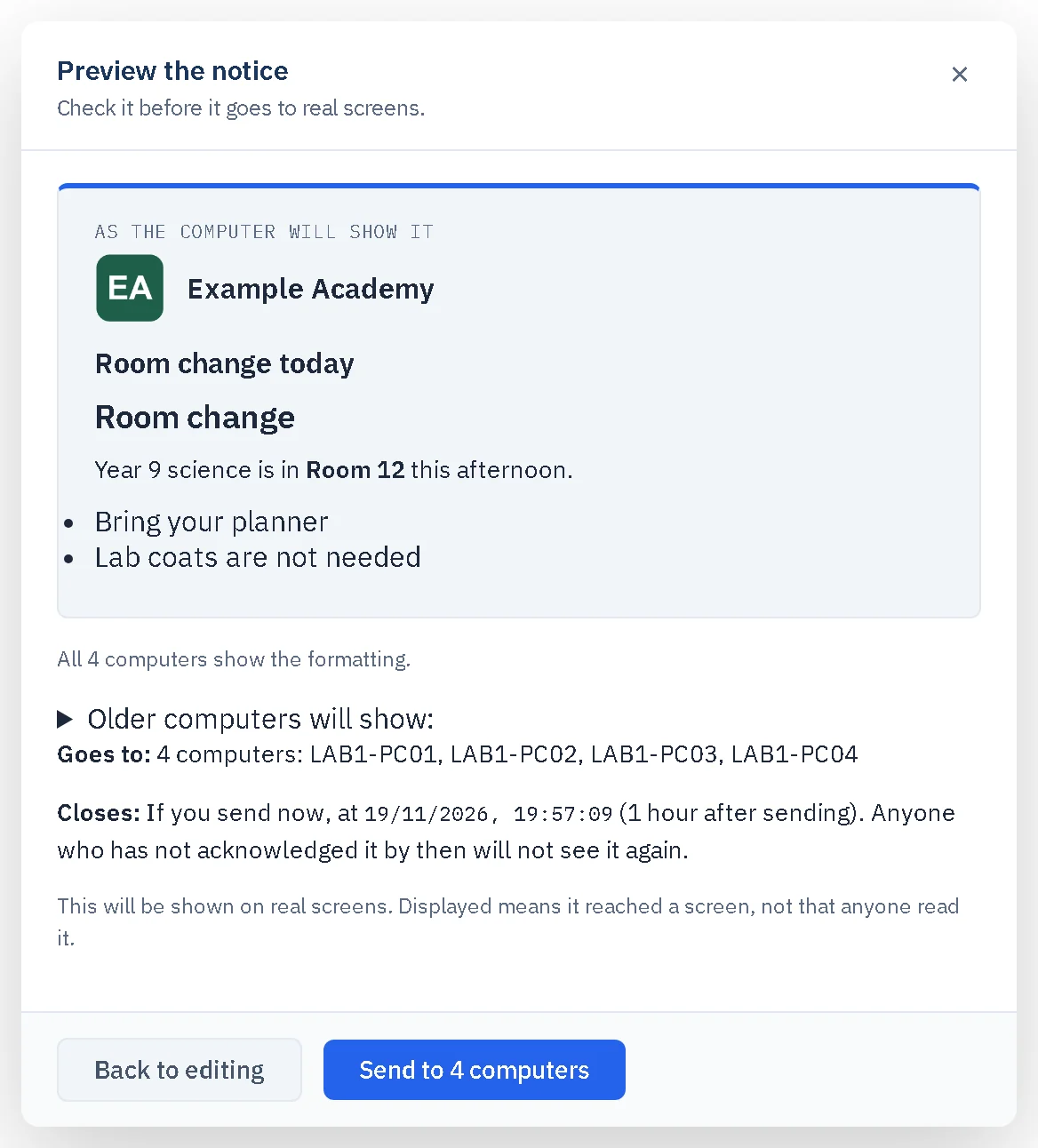
- A form, not a command. Write the notice, choose the computers or the people, press Preview, then Send.
- A preview. It lists who the notice reaches, warns about computers that are off or have no Courier module, and shows the time it closes.
- A result for every recipient. Waiting, received, displayed, acknowledged, expired or failed, kept in History, and downloadable as a spreadsheet.
- Audiences. Save a list of computers, such as a room, or address Active Directory groups, such as a year group. A sender sends only to the audiences an administrator gives them, within limits you set.
- An expiry. A notice stops being delivered when you say, from 15 minutes to seven days.
What you give up #
Courier needs the RSJ Agent on every computer that should show a notice, and a Windows Server to run on. msg needs neither. Courier is for Windows computers only, and it does not send scheduled or repeating notices. Setting it up takes longer than typing a command: Getting Started shows the steps.
Courier is for everyday notices, not for emergencies. It gives no promise that a notice arrives in time, and a notice shown on a screen has been displayed, not necessarily read.