
How to send a message to one room or one year group
Not every message is for the whole school. A room change is for one room; a trip reminder is for one year group. Courier has two ways to choose who gets a notice, and they are kept separate on purpose: Computers and People.
One room: choose its computers #
On New notice, choose Computers and tick the computers in that room. The list shows each computer’s name, whether it is online, and whether it has the Courier module, with a filter box to narrow a long list.
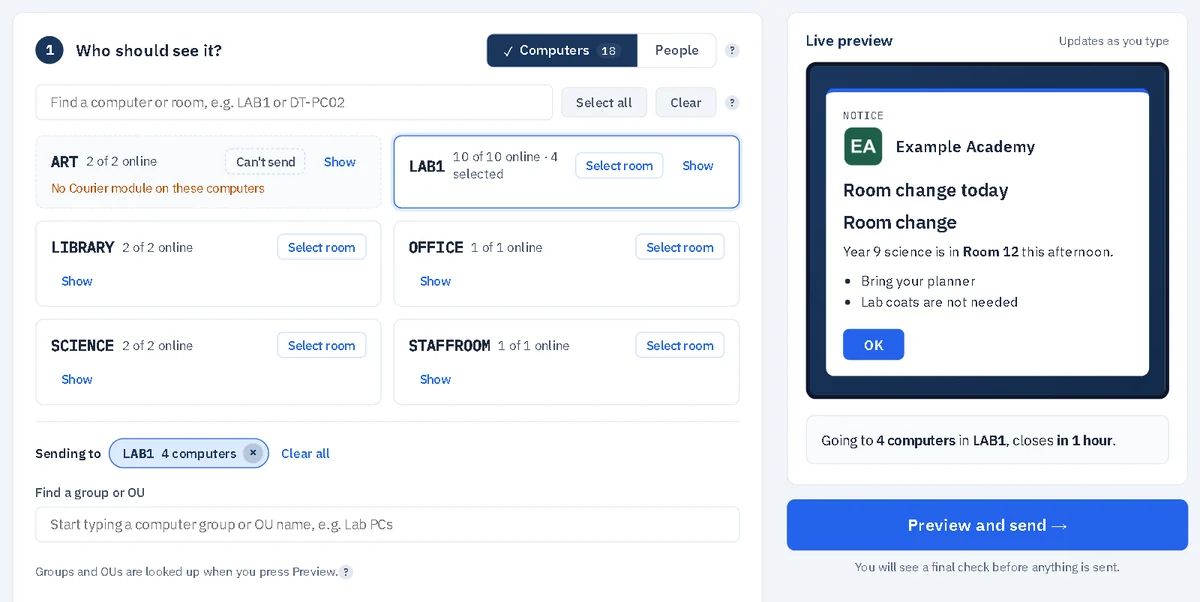
An administrator can save the room’s computers as an audience under Message Settings, Audiences, so that it is one choice next time, and so a sender can use it. A sender sees only the audiences an administrator has given them.
A Computers notice goes to whoever is using that computer. That is right for a room, a lab or a wall screen, and wrong for something meant for one person.
One year group: choose the people #
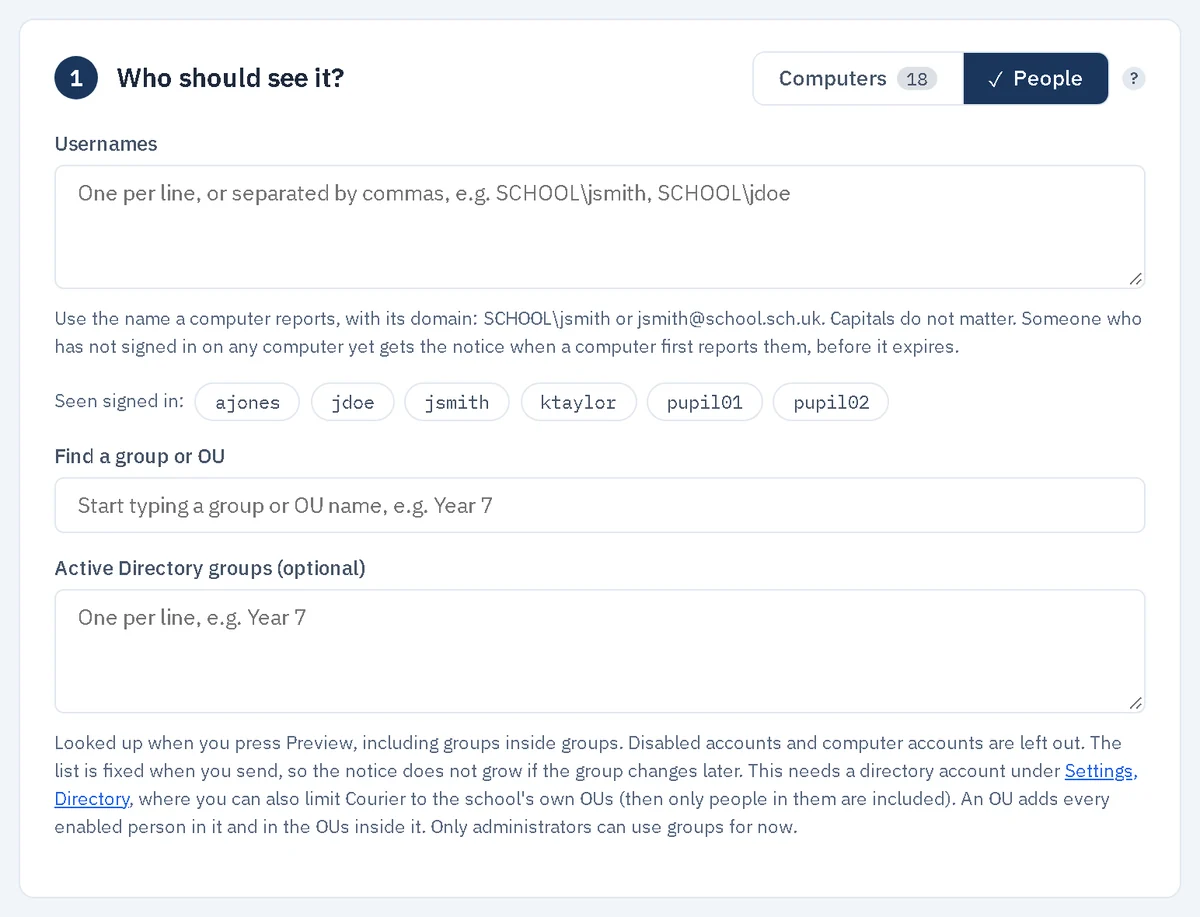
Choose People. You can type usernames, one per line, or name Active Directory groups, such as Year 7, and Courier delivers the notice to the sign-ins of those people on the computers that report them. Only administrators can use groups for now.
Setting up Active Directory groups #
- Under Message Settings, Directory, enter a read-only account as DOMAIN\username and its password. Courier only reads group membership; it never changes anything in the directory.
- Press Test. It says in words whether group lookups will work.
- If your school shares a domain with others, fill in Limit to these OUs so only your school’s people are included.
On New notice, Find a group searches as you type. Count people says how many people are in a group, and Show who lists up to 25 names for administrators. Groups inside groups are followed.
Check before you send #
The preview shows each group with its number of people, the total with duplicates removed, and what was left out: disabled accounts, computers, and people outside your OUs. The people are fixed when you send, so a notice never grows because a group changes later.
Active Directory groups have been seen working on a real domain in a lab but are still being tested, so try a small group first.
What is not built #
Sending to a group of computers taken from Active Directory (save a list of enrolled computers as an audience instead), people from another domain, and members who belong to a group only through their primary group, such as Domain Users.
Courier is for everyday notices, not for emergencies. It gives no promise that a notice arrives in time, and a notice shown on a screen has been displayed, not necessarily read.